


Two ranchers from the Ambrook team share how they use AI to think through financial scenarios for their operations. From understanding break-even to doing early research on loans, they show how AI tools can help lay out your options for day-to-day business decisions.
Introduction
Haley Potter grew up in ranching and has spent her career helping agriculture producers. So when she joined the Product Operations team at Ambrook, she was simultaneously returning to a familiar industry and venturing into new fields: software, AI, and accounting.
These days, she works full-time in Montana both as a rancher and an Ambrook product specialist. It means she’s developed a unique understanding of where AI can be useful for the operational and financial parts of ranching.
A Texas producer and another of our product specialists, Jim Eitel has also explored how to use AI on his own farm. We recently shared a closer look at how Jim built a command center for Eitel Valley Farms with ChatGPT, with three of his tips for other operators who want to do the same.
Here, we share four ways Haley and Jim have used or experimented with AI as a financial planning assistant. You’ll get examples of how AI can gather information and expose the options for what-if scenarios, plus tips on getting the most useful results from it.
Learning Outcomes
By the end of this lesson, you’ll have…
Ideas for business scenarios AI can help you model
Methods to effectively communicate questions and scenarios in an AI chat
An understanding of how to evaluate AI’s responses
Before you check out the examples below, review the notes from our first AI lesson on using the technology safely.
Example #1: Know the Break-Even Before Buying

Haley often uses AI as she’s preparing for cattle sales. In those situations, one of the ways AI can be most helpful is by helping her model different purchase scenarios. This makes it easier to judge what’s financially realistic for her operation.
For example, she’ll describe the scenario and explain the outcome she wants to evaluate:
I’m considering buying cattle at [x sale barn]. What would happen if I bought 50 cows at $2,400 per head? Walk me through what I would have to make on them to break even, factoring in costs like feed and interest.
Tell me exactly where you get your information and use realistic numbers from my region specifically.
Importantly, Haley explains: “You’re not asking AI’s permission,” and you’re not asking AI to make the final call for you. Instead, you’re having it assemble information or ideas that will help you make a better purchase decision yourself.
Tip: Ask AI to Show Its Work
When you’re exploring financial scenarios or doing research with AI, Haley recommends having the system show its work. “Make sure you always ask it: Where’d you get this?”
Here are a handful of instructions she often uses:
Where did you get this information?
What resources did you use?
Outline any information you yourself added in bold.
Once AI outlines its sources and research methods, you can also use this set of questions to help you evaluate its response:
Do you trust the sources AI used to inform its analysis?
Is that the data you would have referenced if you did the research manually?
Are there sources you expected it to look at, that it didn’t?
If AI returns sources you aren’t confident in, try explicitly pointing it toward data sources you do trust.
Example #2: Explore Financing Options for an Asset Purchase
Sometimes, Haley will extend the purchase scenario by asking AI to help research financing options. In other words, what are the different ways she could actually make the purchase happen?
Here’s an example of how she might format this for an AI chat:
I’m considering buying 50 heifers at $2,400 per head at [x sale barn]. I want you to search the current interest rates for cattle loans across [Lender A], [Lender B], and [Lender C] in northwest Montana.
Like the first example, Haley doesn’t take AI’s response as a recommendation for what she should do. But it helps her understand the choices she has sooner.
Note: Haley uses AI for broad research when she’s first starting to consider a purchase. Always check official rates with lenders before making a financing decision.
Tip: Be Specific in Your Requests
To get more helpful results from AI, Haley clearly outlines the context and terms of her request. “I try to be really specific,” she says.
“If we buy at this price, I want you to search the current interest rates for that type of loan, across these specific people for this area. I’m going to buy these cattle at this sale barn.”
Depending on your question, you may want to include information like:
The region or state AI should consider
The business goals for AI to keep in mind
The concrete result you want out of AI’s research: Are you looking for the names of potential lenders in an area, a general idea of recent rates, or something else entirely?
Example #3: Estimate the Return on an Investment
In the same vein, Jim will use AI as he’s weighing certain investments in his operation. “If we have this investment, this type of forecast, what could we anticipate in terms of return?”
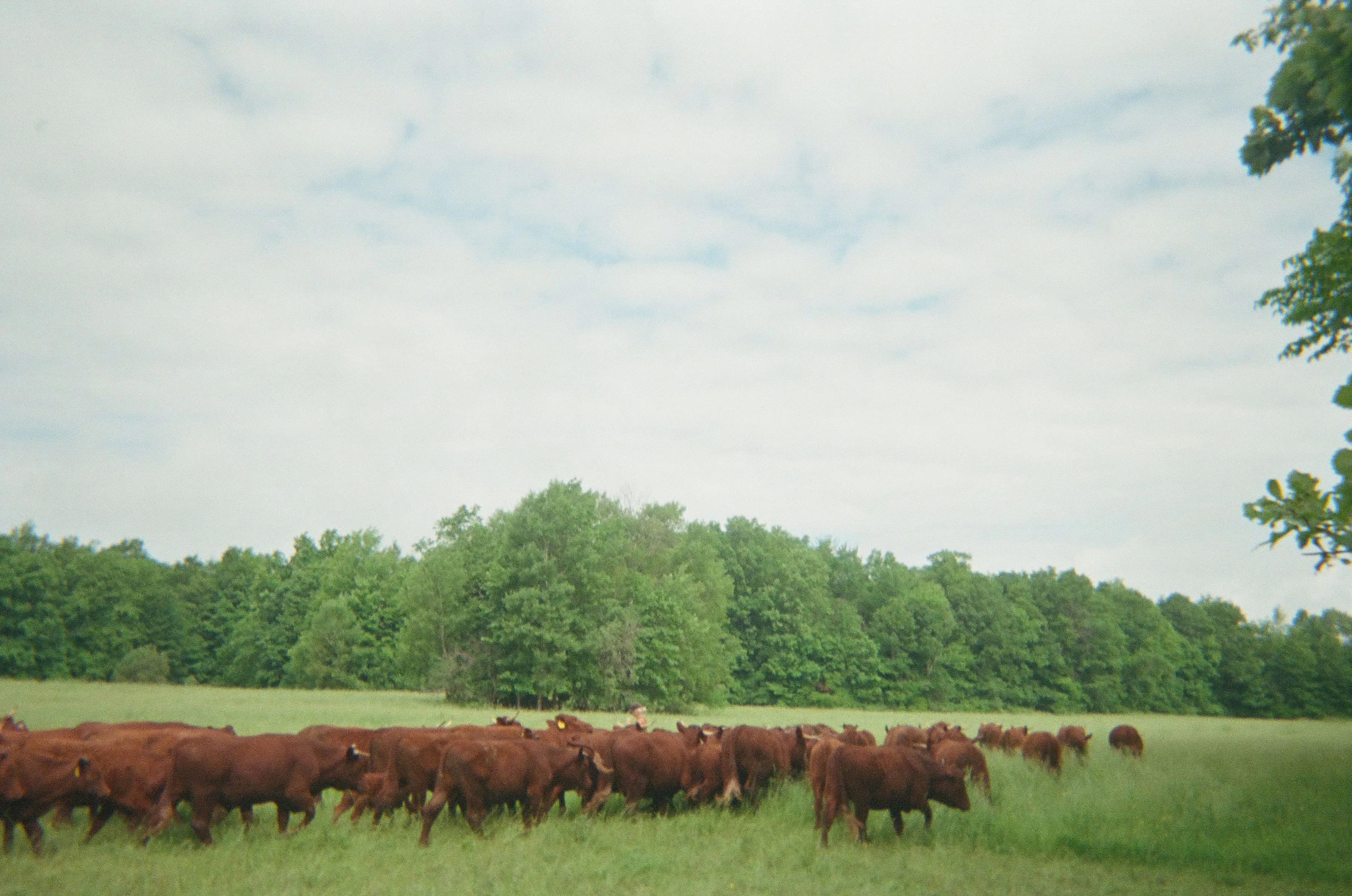
One recent example is virtual fencing. Jim has been deciding whether to invest in GPS collars that can move cattle between paddocks, no physical fence needed. He used ChatGPT to compare the cost of the collars against the money, time, equipment, and effort it currently takes to manage the herd. “That turned a fencing decision into a broader labor-and-capital decision,” he explained.
Here’s an example of what that AI prompt might look like, assuming the system has background on things like operation size, collar pricing, and land management:
We spend about [x hours a week] moving cattle. Walk me through how the annual cost of virtual fencing would compare against what we do now, in terms of time and money. Make sure to consider factors like the equipment we currently use and breeding management.
Show me your calculations, and do this for two scenarios: what this looks like for a herd of 25 vs. a herd of 20 cows.
From here, he and his wife can use their unique knowledge of the operation to evaluate whether the estimated returns are worth it.
Tip: Request an Artifact from AI
By default, AI tends to respond to requests with a block of text. This can make its results difficult to parse or share with other decision-makers, so Jim will sometimes ask AI to produce a graphic or another visual artifact.
Here are other ways you could ask AI to present an analysis:
An interactive graph
A one-page PDF report
A slide deck
An infographic
Example #4: Plan Your Future Herd
As a direct-to-consumer beef producer, Jim has also experimented with using AI to help plan his future cattle herd. “We got this many heifers, and in 2 years we’re going to have this many,” he says as an example. “So figuring out: In 3 years, how many are we going to need to market?”
In the form of an AI prompt, that might look like this:
We have [x] cows and [y] heifers. Using the animal and lineage tracking data I attached, project our herd over the next 3 years. How many calves should we expect each year, and how many 2-year-olds will be ready to market in each of the next 3 years?
When Jim actually ran a similar scenario with his herd in ChatGPT, he realized that the herd wouldn’t produce enough beef on its own for a subscription box he planned to sell. That information helped him shift his strategy; he now plans to add poultry and eventually pork to the boxes.
As he explains, “AI is doing the repetitive math… and helping expose where our assumptions are weak.” But at the end of the day, its purpose is to serve him and his wife in their decision making. “We still make the decisions based on what we know about the land, livestock, family, and business.”
AI as a Financial Planning Assistant
Haley says it best in her recent interview on the Ranching Returns podcast: “Think about where you’re already smart. That’s going to be your animal husbandry, land stewardship, those decades of production knowledge. And then ask where that tool, which learns from patterns instead of set rules, could actually help you make better decisions.”
At Eitel Valley Farms, Jim has been using AI to build a working business model for the whole operation. By providing AI the right amount of information on his goals and ranch management practices, he can give it any scenario and ask it to model how different options might play out on the farm.
Both Jim and Haley focus on the cases where AI can bring them data and assemble an analysis that helps them make business decisions faster, or with more information. “You want it to work on the stuff that eats hours of your time,” Haley says in the podcast episode. “The things that aren’t actually ranching.”
Resources to Dive Deeper
If you’re creating custom tools or dashboards for your business with AI, check out Jim’s approach to building his farm command center.
You can also try using AI to report on your operation’s weekly financial health or help review your ledger.
Check out resources by Anthropic (the team that built Claude) on how AI works and how you can collaborate more effectively with AI tools.
FAQs
What kinds of business scenarios can AI help me think through?
AI can help you organize information and lay out options for decisions you’re considering. For example, it could help you compare purchase options, do initial research on which lenders operate in your area, or walk through your estimated returns on an investment. It works best as a research and planning assistant, but the final decision on what’s right for your business is still in your control.
Can ChatGPT or Claude look up information on the internet, like lender rates?
Some AI tools can search the web when that feature is enabled, but results can be out of date, incomplete, or wrong. Ask AI to cite its sources when you use it for early research or information gathering, and always confirm facts like official rates and terms with the lender when you’re making a serious decision.
How do I check where AI got its information?
You can directly ask AI to cite its sources and direct to the links it referenced. Alternatively, you can tell it exactly which sources to use, if there are particular websites or reports you trust yourself.
What details should I include when I describe a scenario to AI?
Include specific details to get a more useful response, like the format of the response you’re looking for or the business goal you’re trying to achieve. Remember to leave out personal or sensitive details that you wouldn’t feel comfortable sharing with others.
Can AI turn its answer into a chart or report?
Yes. You can ask AI to present its results in a specific style or format, like a chart, a table, PDF, or even a short slide deck. Check that the numbers in the visual match the numbers in AI’s written answer before you share it with others.
What information should I avoid sharing with AI?
Avoid sharing sensitive, personal, or financial details about yourself, your operation, or people you work with. If you’re unsure whether a piece of information is sensitive, it’s likely safer not to share it with AI tools at all.
Also, make sure to use an account you’ve created yourself when you use AI. Turn on multi-factor authentication, and disable settings that let AI train its technology on your data. See our first AI lesson for more notes on using AI tools safely.
This resource is provided for general informational purposes only. It does not constitute professional tax, legal, financial or accounting advice. Consult a qualified professional about your specific situation.