

Recurring invoices are now live in Ambrook. No more rebuilding the same invoice every month. Set the schedule once, and payments match automatically.
With just a few clicks, you can now set any invoice in Ambrook to automatically repeat on a schedule of your choice. Once set up, Ambrook handles it from there: generating drafts or sending invoices, reminding customers of outstanding invoices, and collecting payments by card, ACH, and check, all automatically. Now, there’s no need to set a reminder or return to Ambrook to send monthly invoices.
Depending on your business, recurring invoices in Ambrook could be used to:
Send monthly invoices per horse for boarding and livestock operations
Collect on a land lease or ground rent
Invoice a weekly shipment for goods delivered
"We supplement our farming revenue through leases. Recurring invoices will make these additional revenue streams much easier for me."

Gwen Manseau, Hollywood Farm
How it works
You can set any invoice to be recurring. Open the new Repeat section in the invoice editor and choose a cadence: by days, weeks, months, or years. Then, set an end condition: never, on a specific date, or after a set number of invoices.
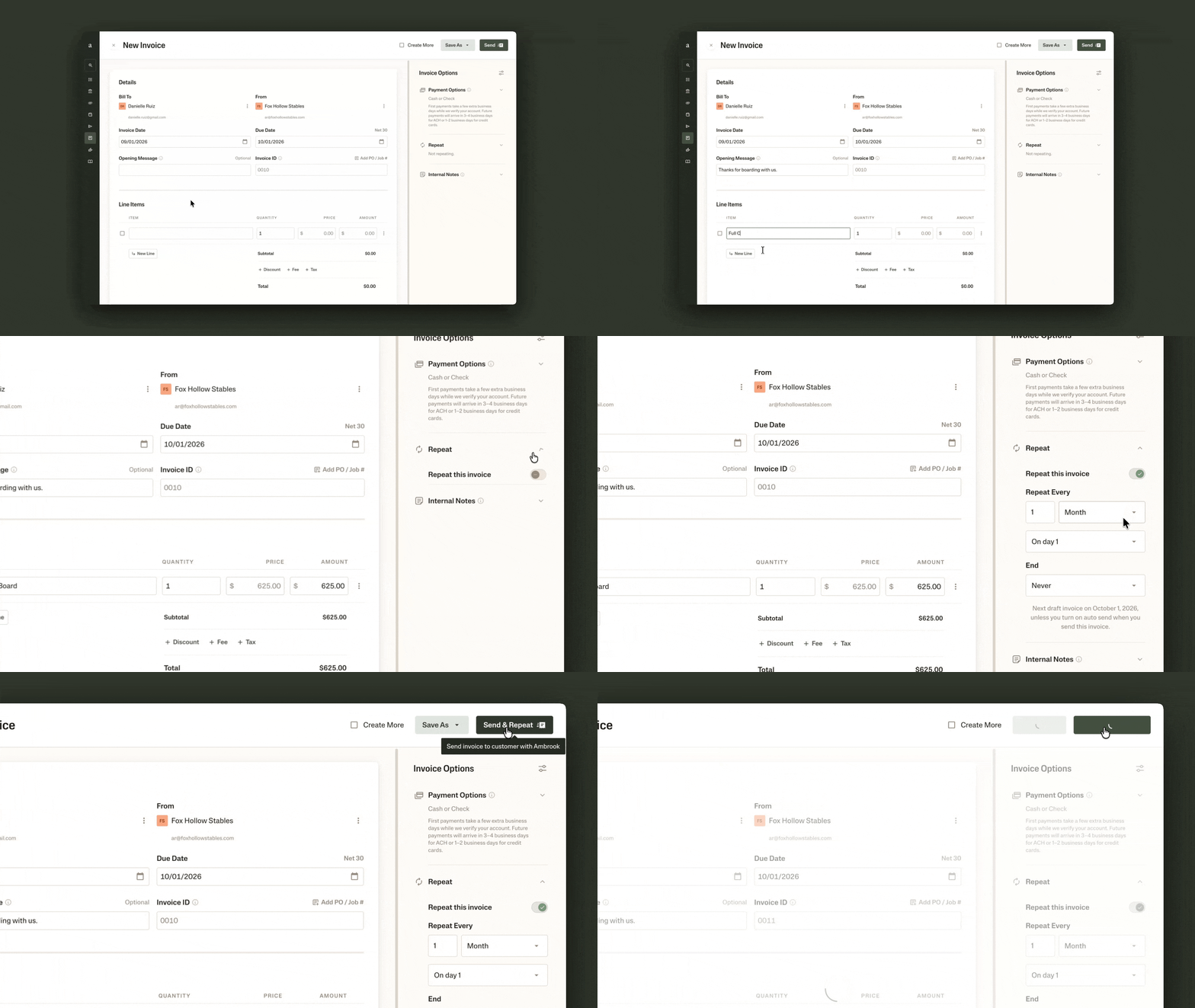
From there, you choose how hands-off you want to be:
Auto-send. If you know that the amount and payment details are the same each time, set to auto-send so that Ambrook generates and sends each invoice on the schedule, with nothing needed from you.
Review first. Prefer to check or fill in varying details before it goes out? Ambrook will automatically generate a draft instead, with an email notification linking you straight to it.
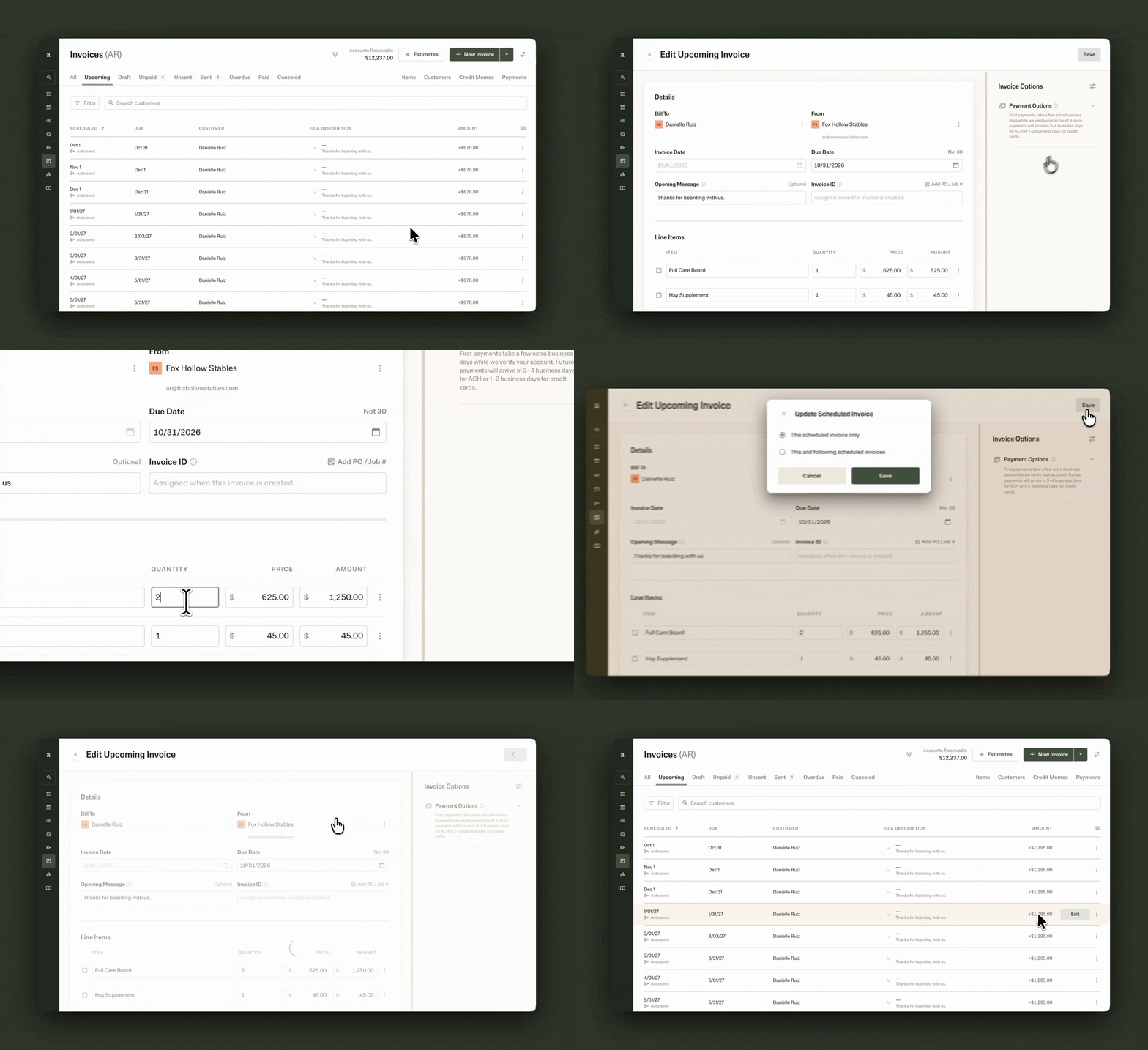
Once running, staying on top of the series is just as easy:
One place to see what’s coming. The new Upcoming tab gives you a view of every scheduled invoice across your business, so you always know what’s next.
Adjust one invoice, or change them going forward. Something one-off, like a discount this month? Edit or delete a single invoice without disrupting the rest of the series. If something’s changed for good, like a boarder adding a third horse or a rent increase, you can edit all invoices going forward at once.
On the schedule you choose, auto-sent invoices will arrive in your customer’s email or SMS inbox, with an option to easily pay by credit card, ACH, or check.
More options to customize your invoices
You now have more ways to customize your invoices, from organizing line items by groups to more control over who gets notified.
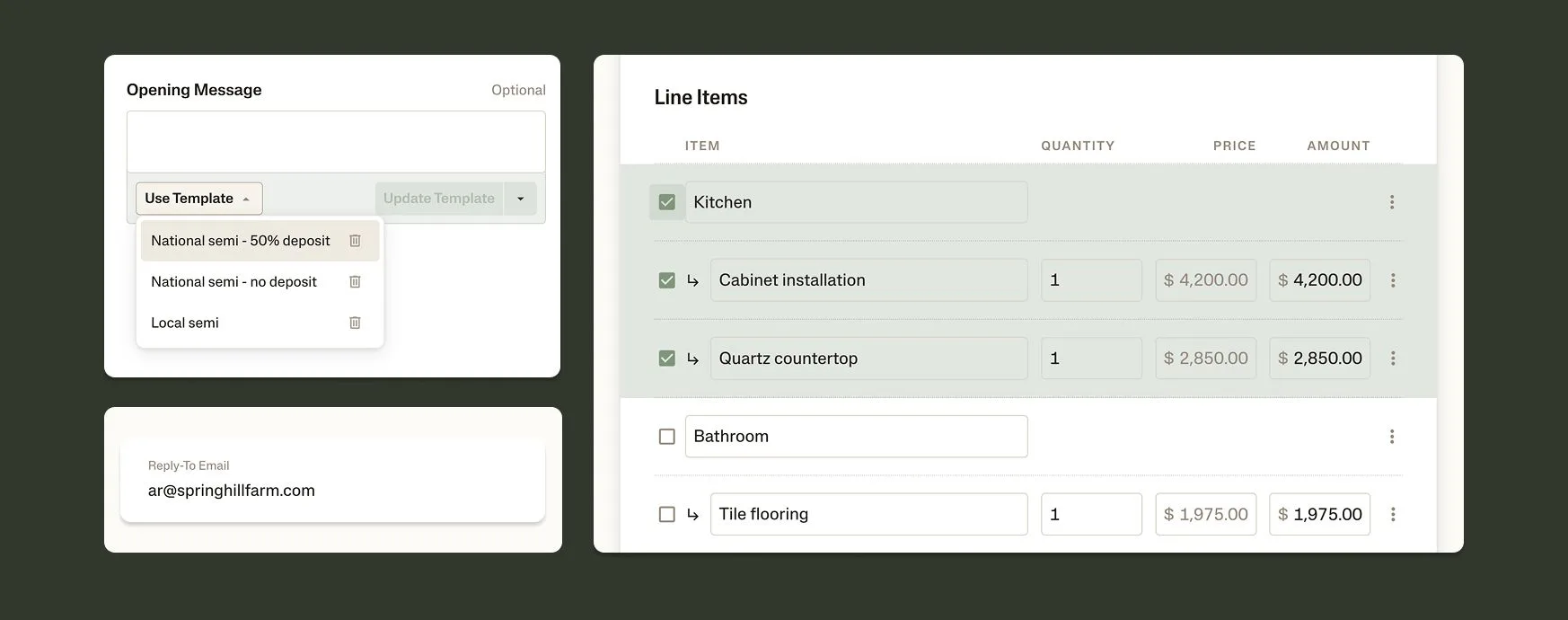
Group line items into sections. Multi-phase or multi-room jobs no longer have to live in one flat list. You can now group line items into named sections, on both estimates and invoices.
Templated opening & closing messages. If one default message isn’t enough, save templated messages like Terms & Conditions based what you’re billing for, deposit terms, and customer relationship.
A default attachment for every invoice. If you attach the same document to every invoice, whether Terms and Conditions, a W-9, or insurance certifications, you can now set it as the default so that it’s included automatically.
Replies go to the right inbox. You can now set an org-level reply-to in your Organization Profile. Instead of customer replies ending up with whichever teammate hit send, they go straight to your team’s shared inbox.
CC lists for each relationship. Some customers need every invoice copied to two, three, or more people. Now you can have a default CC list per contact, so those addresses are pre-filled every time you send. No more trying to remember who needs to be looped in.
Bulk tagging and line item view. Instead of having to dive into every invoice to tag line items, you can now review and tag line items across multiple invoices.
What’s next
Sending the invoice is only half of getting paid. The other half is what happens on your customer’s end. We’ve heard from you that your customers want better visibility into what they owe you and an easier way to pay it. That’s what we’re building next.
Getting started
Starting today, Ambrook customers on all plans have access to recurring invoices. Learn more about creating and managing recurring invoices in our Help Center guide.
Not on Ambrook yet? You can try for free or visit our pricing to learn more about our plans and services.