Switch to farm accounting software for the modern era
Ambrook vs Red Wing CenterPoint
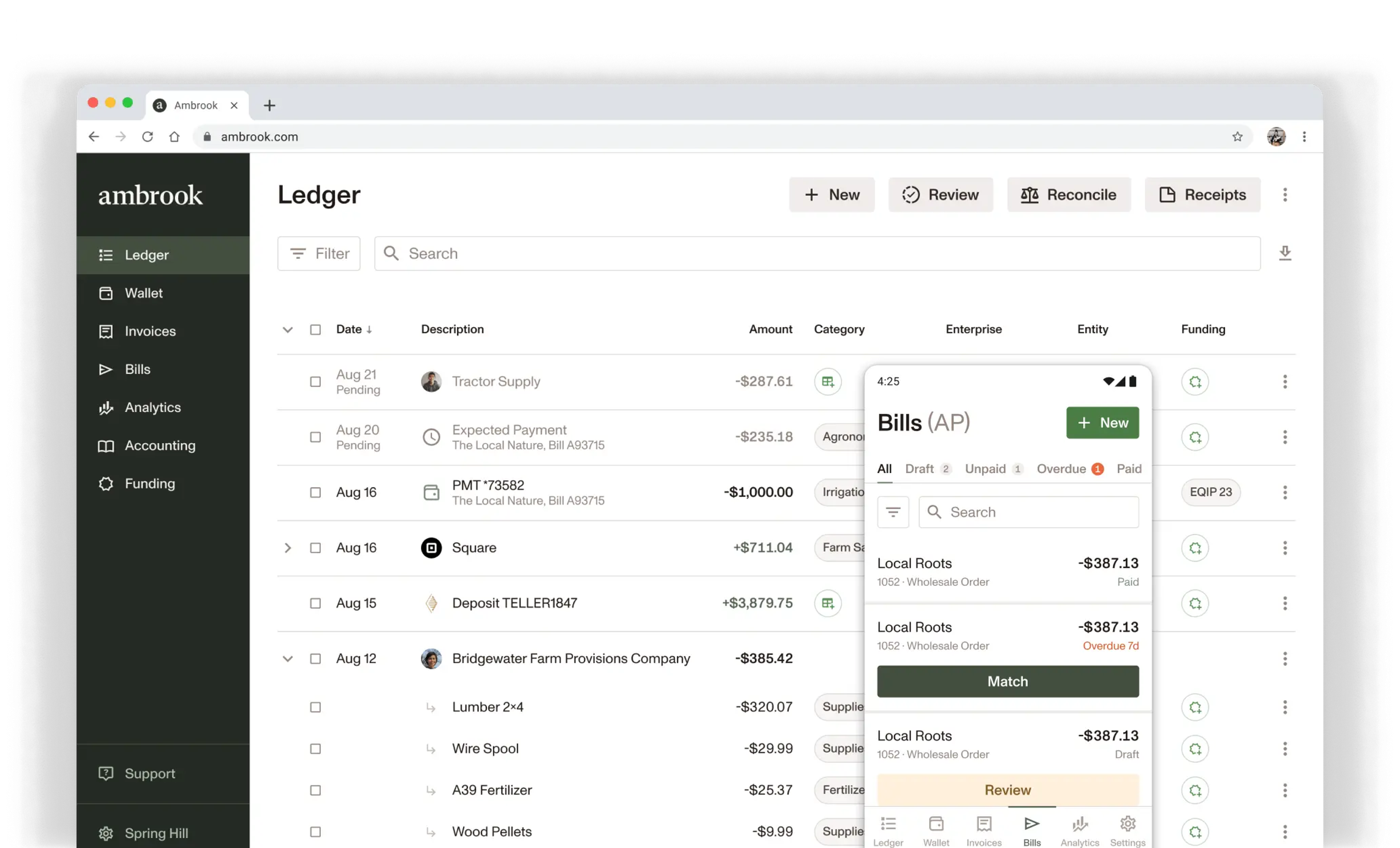
Easy to use bookkeeping, invoicing, bill pay, and analytics all in one tool. Cloud-based, mobile, and collaborative.
Trusted by farms &
ranches across America

Compare Features
Simple mobile app and website
Modern, intuitive workflow design
Integrated online bill pay
Accounts Receivable with online payments
Integrated bill payments
Native check mailing
Team cards for expense management
USDA funding program tracking
Expert chart of accounts consultation

Guided by Ali
Switching from Red Wing CenterPoint
We’ll help you move on to greener pastures
Clean up your chart of accounts with our experts
Work with our ag-centric customer service team to personalize your chart of accounts.
Don’t miss a beat with customers and vendors
Import outstanding invoices and bills and transition to our customer management to keep your business moving.
Import historical records for yearly analytics
Bring in historical data for peace of mind while ensuring you can track performance over time.
Get up and running with your team in one week
Participate in guided onboarding and training to personalize your system and master your workflows.
Get a Phone Call
Optional
Standard messaging rates apply.
Ambrook is Ag Data Transparent certified, ensuring your information is safe and secure.
Frequently Asked Questions
The mechanics are the same — you're sending a customer a priced document for work you haven't billed yet. The label just changes how it reads on the document. Pick whichever your industry uses: construction crews send Bids and Proposals, service businesses send Estimates, ag operations often send Quotes.
You can set a default terminology and then switch if a particular customer expects different language.
Yes. Customers sign directly in the secure Ambrook portal, and the signed PDF becomes part of the document's permanent record. No DocuSign, no third-party add-on, no scanned PDFs emailed back and forth.
Once a customer accepts — and signs, if you required a signature — you convert the estimate to an invoice in one click. Bill the full amount, a percentage for a deposit or milestone, or just the line items you've completed for progress billing. Line items, tags, attachments, and customer details carry forward automatically. Nothing gets re-entered.
Yes. Estimates is built mobile-first. Create and send by email with text notification from the truck or the job site, and track status as it changes. Customers get a link they can review and sign on any device, so a job can close before you're back at the office.
Included on every Ambrook plan, at no added cost. The customer portal, e-signatures, partial invoicing, and conversion to invoice are all part of the invoicing feature set, no separate tier or add-on to buy.
Yes. Every estimate carries a timeline showing when it was sent, accepted or declined, signed, and versioned. That history continues once it becomes an invoice, you can see who created, edited, sent, and matched payment to it. Edits create a new version rather than overwriting the old one, so nothing is lost.